Overview: An interpreter like Python, Perl, or PHP executes many different scripts — without additional control, a single allowlist entry for the interpreter applies to all of them equally. Secure Script Launchers identify the specific script being executed and apply a separate allowlist entry for it, giving each script its own file and network permissions. The Launchers ([s]) shows detected interpreters and activates launchers in one step.
Activating launchers
From the Dashboard, select Launchers ([s]). The Dashboard shows two sections:
- Script Launcher Status — how many interpreters were detected and how many launchers are pending activation
- Detected Interpreters — the list of interpreter paths found in the activity log, with their current launcher status
When launchers are pending, the Dashboard shows:
2 interpreter(s) found across 47 log event(s).
2 launcher(s) available but not yet activated.

[a] Activate   [s] Skip
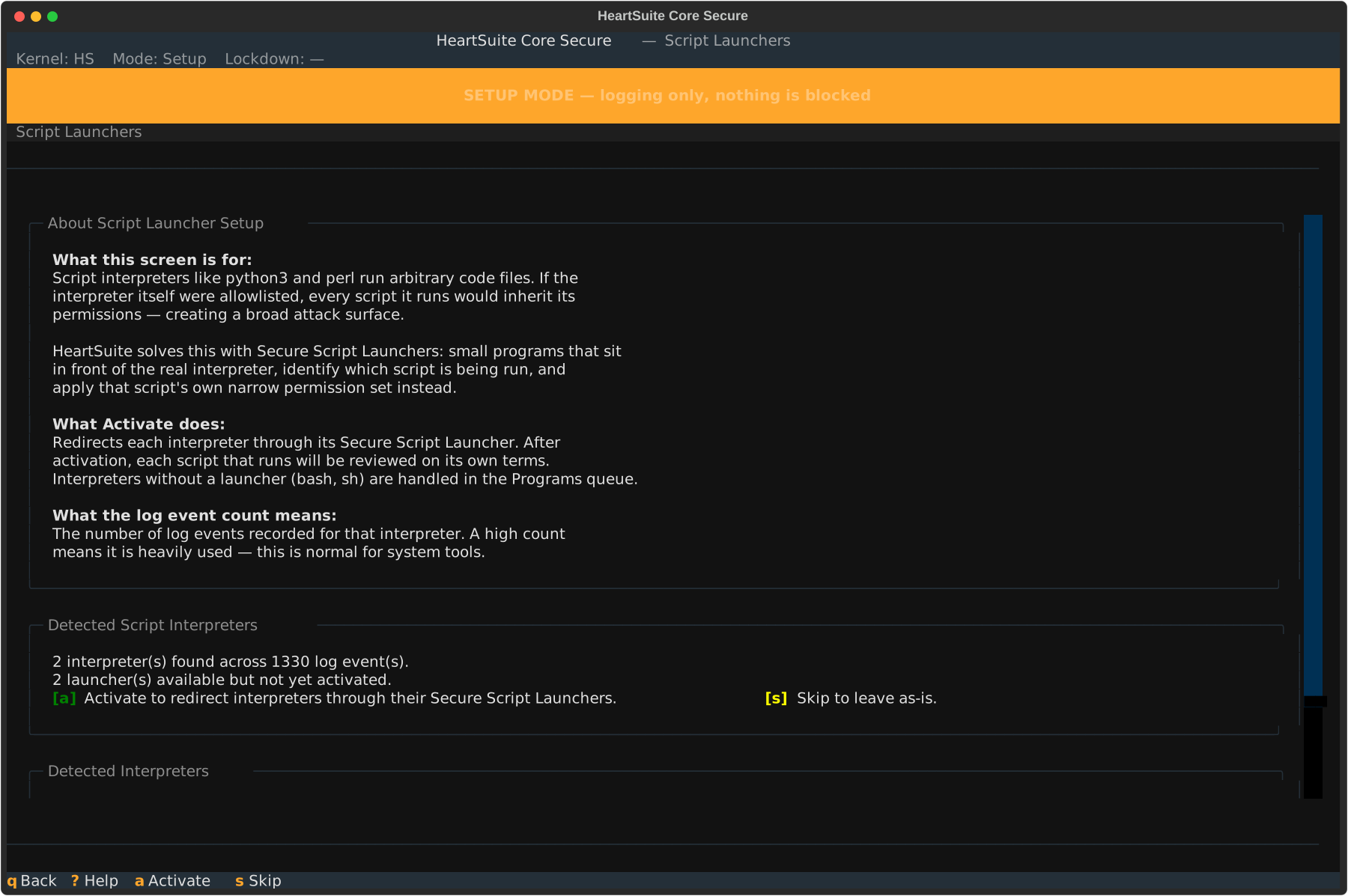
Press [a] to activate all pending launchers at once. Root Lock by HeartSuite registers each interpreter with its Secure Script Launcher — from this point forward, every call to that interpreter automatically routes through the launcher, applying per-script permissions.
After activation, the Dashboard confirms which launchers were activated:
Activated 2 Secure Script Launcher(s): python3, perl.
Each interpreter now routes through its launcher. Scripts using
these interpreters will be reviewed on their own permission terms.
Press [q] to return to the Dashboard. The Dashboard marks Phase 3 complete.
If no script interpreters are detected
If none of the known interpreters have appeared in the activity log yet, the Dashboard shows:
No script interpreter log events detected.
You may proceed to the next phase without activating any launchers.
Phase 3 is not required if your system does not use script interpreters.
Skipping launcher setup
Press [s] to skip without activating. Root Lock by HeartSuite notifies you:
Script launcher activation skipped.
Interpreters will remain blocked in Lockdown until approved.
You can return to the Launchers ([s]) at any time to activate launchers before activating Lockdown.
Testing a launcher directly
Before or after Dashboard activation, you can run a script through a specific launcher directly to verify it works under its own permissions:
# hs-python-launcher /path/to/your-script.py
This applies the script’s allowlist entry rather than the interpreter’s. Running the same script with python3 directly uses the interpreter’s broader permissions. This is useful for verifying per-script permissions in isolation before relying on them in Lockdown.
After activating launchers, return to the Dashboard — the Suggested Next Step directs you to Phase 4: File Access Allowlisting via the File Access queue ([f]).